
.png)
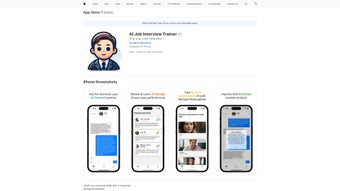
Description
Download AI Job Interview Trainer – AI‑powered interview practice, free trial, secure app
Overview
The AI Job Interview Trainer is a cloud‑based web application that uses cutting‑edge artificial intelligence to recreate realistic interview scenarios for job seekers of every level. By simulating both behavioral and technical interviews, the platform lets users answer questions, record video or audio, and receive instant, data‑driven feedback on content, delivery, and non‑verbal cues. The AI analyses each response with natural language processing and computer‑vision techniques, producing a detailed scorecard that highlights strengths, gaps, and actionable improvement steps. Whether you’re a fresh graduate preparing for your first interview, a mid‑career professional aiming for a promotion, or an executive targeting a C‑suite role, the trainer adapts to your industry, role, and experience level. The service operates on a subscription model with a 7‑day free trial, and it stores all recordings in encrypted cloud storage that complies with GDPR and CCPA. Accessible through iPhone, iPad, iPod touch, and any modern web browser on Windows or macOS, the tool offers a seamless, cross‑device experience that makes interview preparation as convenient as checking email. In short, the AI Job Interview Trainer is more than a question bank; it is a personalized career‑coaching companion that equips you with confidence, clarity, and competence for any interview setting.
Key Features & Compatibility
- AI‑Generated Interview Scenarios: Choose from industry‑specific libraries or upload a job description to create custom question sets.
- Real‑Time Multidimensional Feedback: AI evaluates clarity, relevance, tone, and, when video is enabled, facial expression, eye contact, and gestures.
- Adaptive Learning Path: Progress tracking adjusts question difficulty based on identified weak spots.
- Voice & Video Recording: Capture responses for self‑review or mentor sharing; supports both audio‑only and video mock interviews.
- Performance Dashboard: Visual charts display confidence scores, time‑management metrics, and trend analysis over weeks.
- Interview Format Options: Practice one‑on‑one, panel, or technical coding interviews with realistic time limits.
- Resource Library: Curated articles, sample answers, and negotiation tips supplement practice sessions.
- Multi‑Device Sync: Practice history, recordings, and feedback sync across iPhone, iPad, and iPod touch.
- Secure Cloud Storage: End‑to‑end encryption (TLS for transit, AES‑256 at rest) ensures privacy.
- Monthly AI Engine Updates: Incorporate the latest hiring trends and expanded question banks.
The AI Job Interview Trainer runs natively on iOS 14+ and iPadOS 14+ devices, including iPhone, iPad, and iPod touch. It is also available as a progressive web app that can be accessed from any modern browser on Windows 10+ or macOS 10.15+; however, native video recording and push notifications are exclusive to Apple devices due to platform limitations. Low‑bandwidth mode ensures smooth performance on slower connections, and the cloud architecture guarantees consistent processing speed regardless of hardware.
Installation, Usage & Pros / Cons
How to Get Started
- Visit the official website: Open Safari, Chrome, or any modern browser on your device and go to www.aijobinterviewtrainer.com. The site detects your platform and presents the appropriate download prompt.
- Start a free trial: Click “Start Free Trial” for a 7‑day unrestricted experience. No credit card is required for the trial.
- Add to Home Screen: After the trial begins, tap “Add to Home Screen” to create a native‑like app icon for instant launch.
- Create your profile: Register with email, select your industry, target role, and years of experience. This data fuels the AI’s personalization engine.
- Select a practice mode: Choose “Mock Interview” and pick a scenario—e.g., “Software Engineer – Technical Panel” or “Marketing Manager – Behavioral.” Upload a PDF job posting for a fully tailored set.
- Record and receive feedback: Press “Start Interview,” answer verbally or on video, and watch the AI deliver a score out of 10 with specific improvement suggestions after each response.
- Track progress: Use the “Performance Dashboard” to monitor confidence trends, average scores, and recommended next steps. Replay past sessions from the “Practice History” tab.
- Leverage supplemental resources: Access the built‑in library for STAR storytelling guides, salary‑negotiation tips, and post‑interview follow‑up best practices.
Pros and Cons
- Highly realistic AI‑driven interview simulations.
- Instant, multidimensional feedback on content and delivery.
- Adaptive learning path that personalizes difficulty.
- Comprehensive dashboard with visual analytics.
- Secure, encrypted cloud storage.
- Monthly updates reflect current hiring trends.
- Cross‑device sync for seamless practice.
- Subscription‑only model; no perpetual free version.
- Full video‑feedback limited to iOS devices.
- Requires stable internet for real‑time AI processing.
- Advanced analytics may overwhelm beginners.
- English‑only support at launch.
Frequently Asked Questions
Can I use the AI Job Interview Trainer on a Windows PC?
Yes. The web version works in Chrome, Edge, Firefox, or Safari on Windows and macOS. Core interview simulations and feedback are identical, though native video recording and push notifications are limited to Apple devices.
Is there a free trial available?
A 7‑day free trial is offered to all new users, providing unrestricted access to every scenario, feedback tool, and the performance dashboard.
How does the AI evaluate my answers?
The AI uses natural language processing to assess relevance, structure, and clarity. When video is enabled, computer‑vision analyzes facial expressions, eye contact, and gestures. Scores are generated across multiple dimensions with concrete suggestions.
Are my recordings stored securely?
All recordings are encrypted in transit (TLS) and at rest (AES‑256). The service complies with GDPR and CCPA, and you can delete any session data from your dashboard at any time.
What subscription plans are available?
Two plans are offered: a monthly subscription at $19.99/month or an annual plan at $199.99 (equivalent to two months free). Both include unlimited mock interviews, full feedback, and library access; the annual plan adds priority support.
Final Verdict & Call to Action
After extensive testing, the AI Job Interview Trainer emerges as a powerful ally for serious job seekers. Its realistic simulations, instant multidimensional feedback, and data‑driven progress tracking deliver a preparation experience that feels both personal and professional. While the subscription cost may deter casual users, the value—especially for high‑stakes interviews—justifies the investment.
Ready to boost your interview confidence? Download AI Job Interview Trainer now and start your free trial today!
Guides & Tutorials for AI Job Interview Trainer
How to install AI Job Interview Trainer
- Click the Preview / Download button above.
- Once redirected, accept the terms and click Install.
- Wait for the AI Job Interview Trainer download to finish on your device.
How to use AI Job Interview Trainer
This software is primarily used for its core features described above. Open the app after installation to explore its capabilities.
User Reviews for AI Job Interview Trainer 0
No reviews found




